PopuliVerse
  • Library
  • Monitor
  • Commentary
  • Data
    • Who Counts as Populist?
    • Populists in Power
    • Actors in Monitor
    • Countries in Monitor
    • Events in Monitor
  • About
    • About PopuliVerse
    • Advisory Board
    • Editor
    • Resources
    • How to Contribute
    • Editorial Policy
  • Newsletter
  • Workspace

How to Use Your Workspace

The Workspace of PopuliVerse in five steps, with pictures of the real screens.

The Workspace is your own place on PopuliVerse.
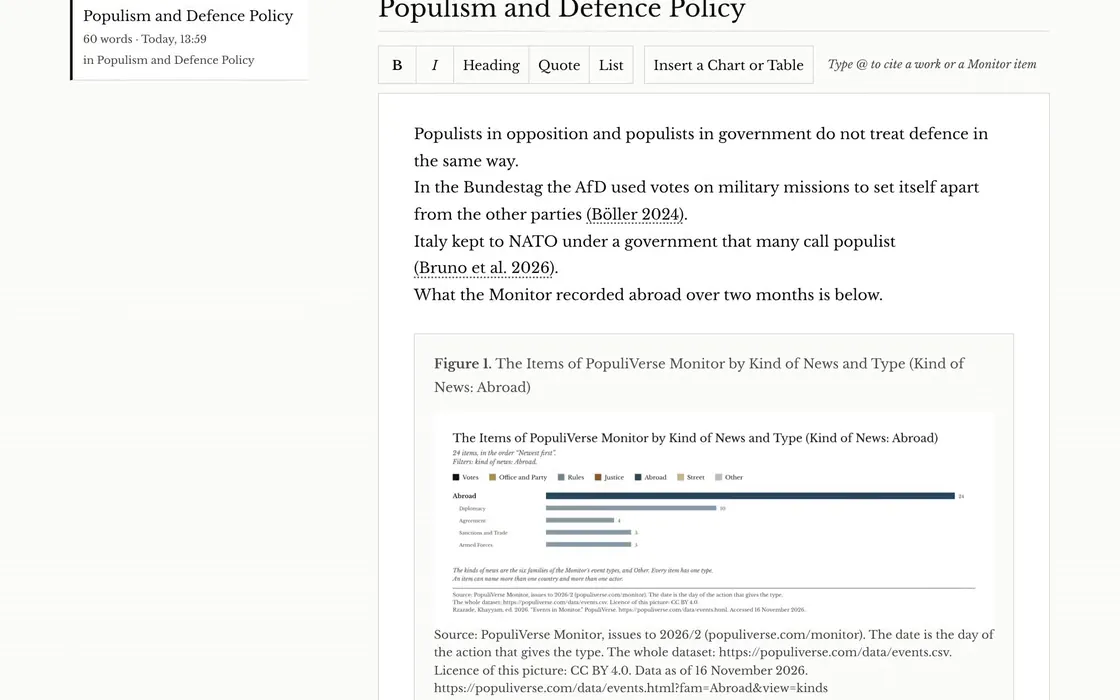
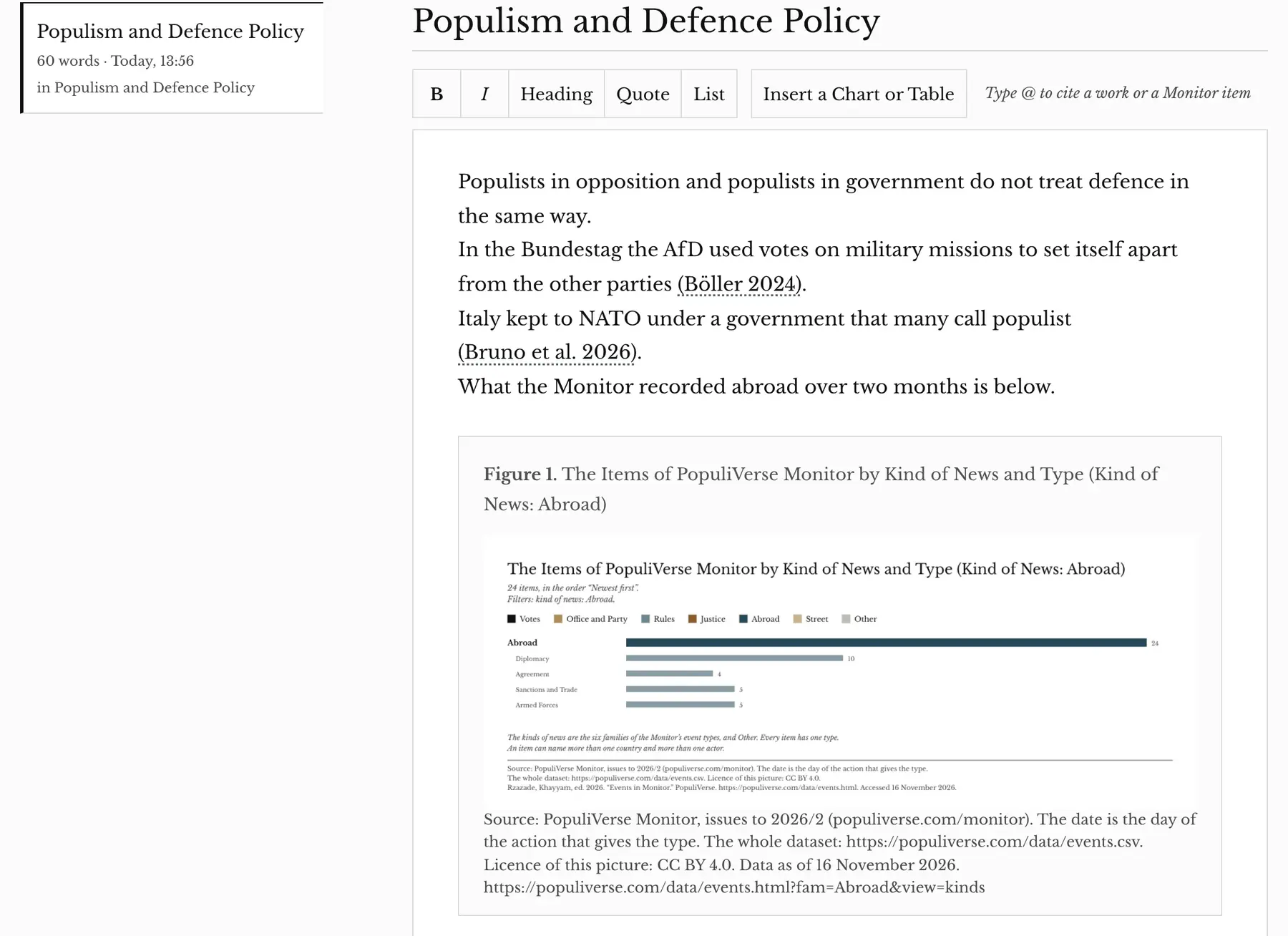
A draft in the Workspace called Populism and Defence Policy, with two citations in the text and a chart under them.

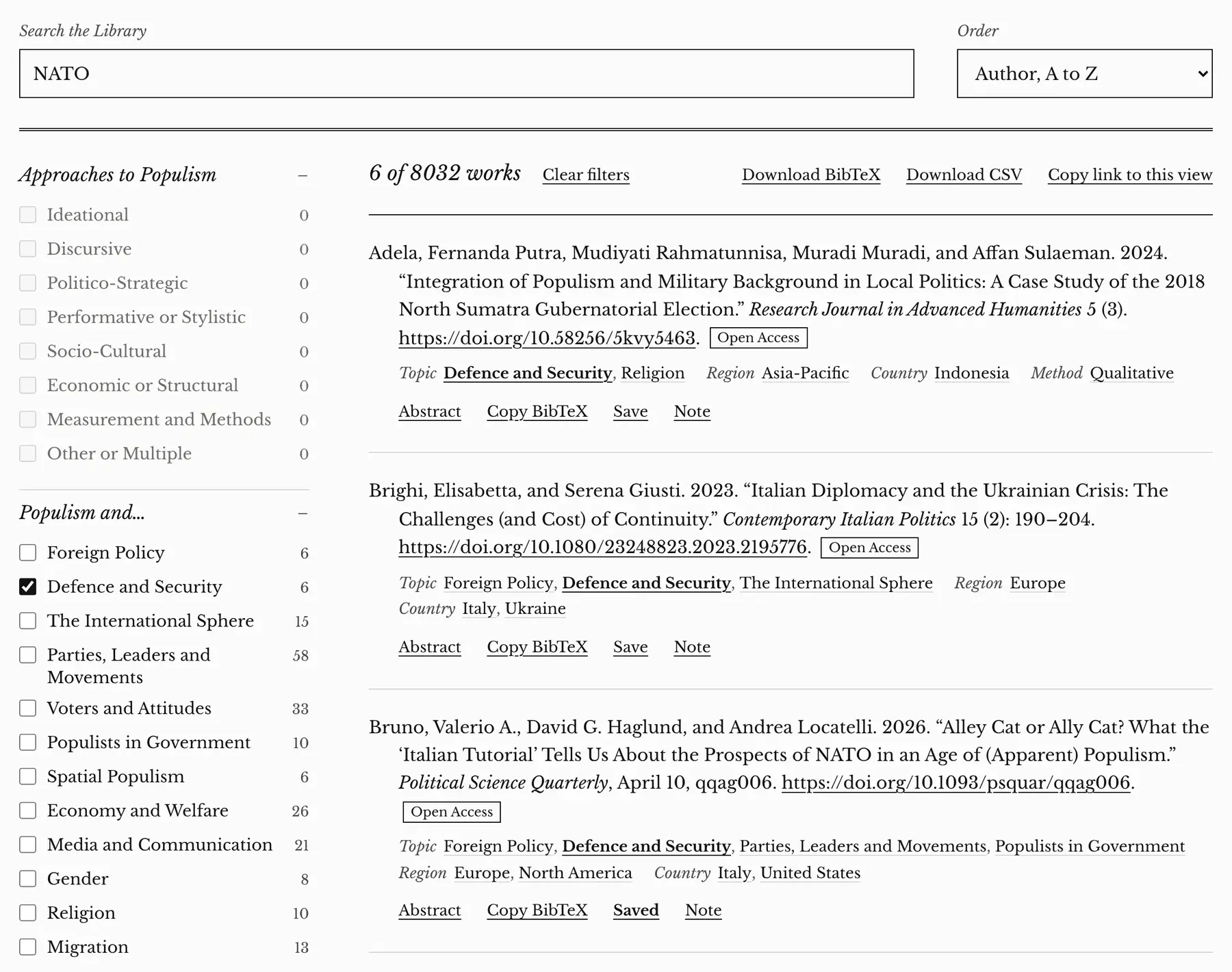
  1. The Library, filtered to Defence and Security and searched for NATO. Three works are listed, each with Abstract, Copy BibTeX, Save and Note under it. Under the third work, on NATO and populism, Save reads Saved.
    Save a work from the Library, a Monitor item or a chart.
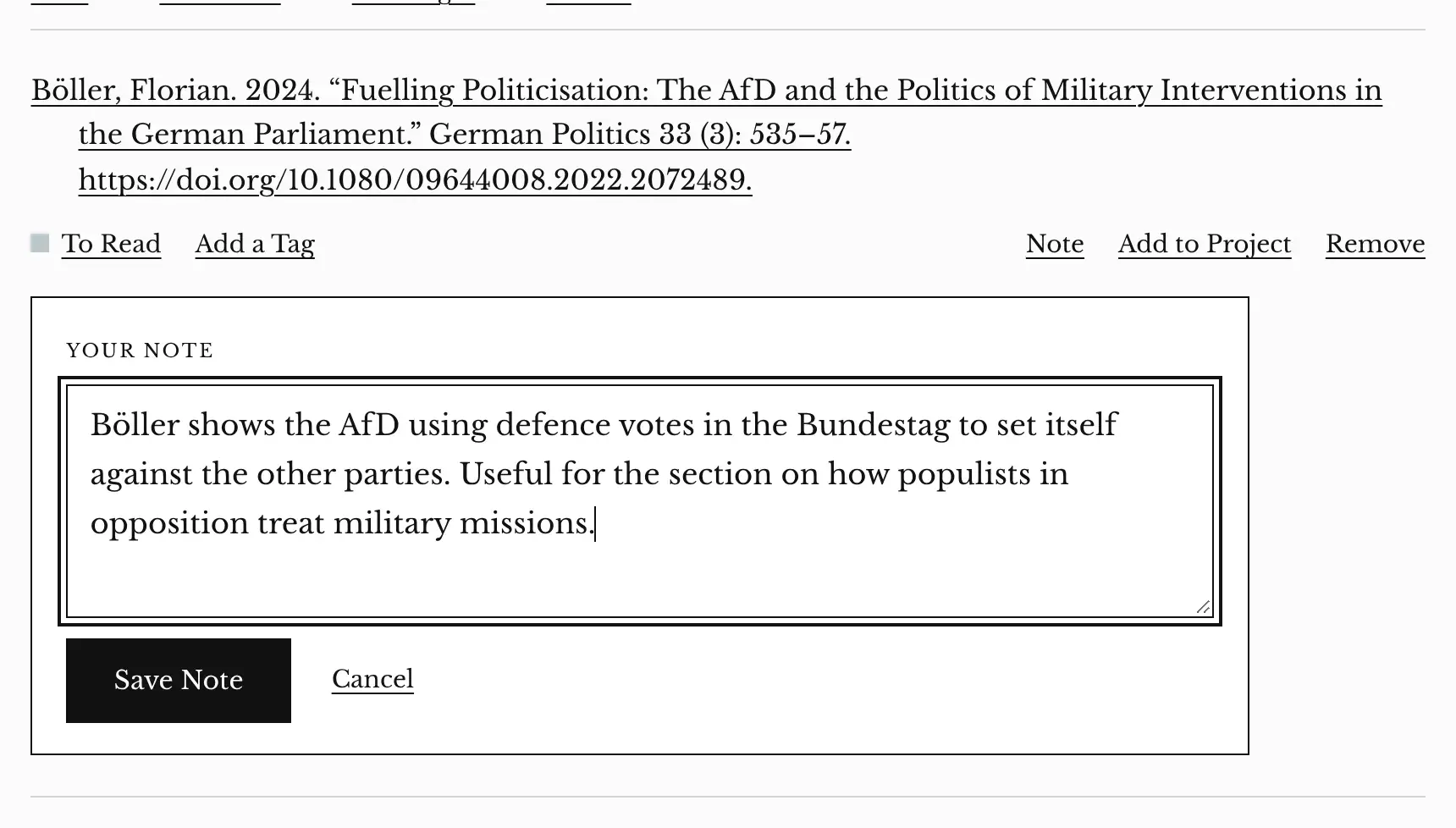
  2. A saved work on the shelf of the Workspace with its note box open. A note about the AfD and defence votes is typed in the box, with a Save Note button under it.
    Add a note to it.
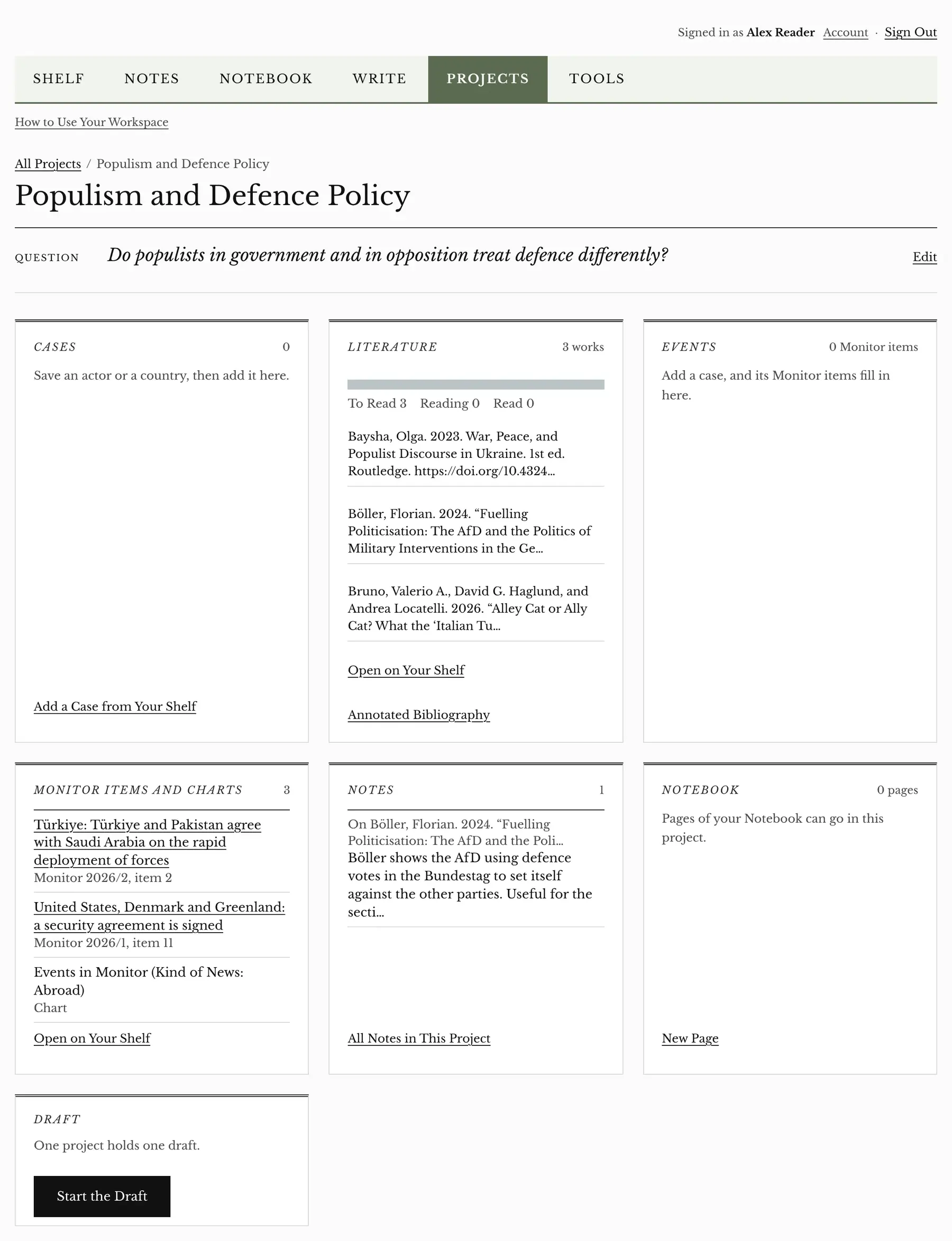
  3. A project in the Workspace, under the board of the six tools. It is called Populism and Defence Policy, and its panels hold the question, three works under Literature, three things under Monitor Items and Charts, and one note.
    Put it in a project.
  4. A draft in Write. Three sentences carry two citations that the draft made itself, and under them stands Figure 1, a chart of the Monitor items from abroad, with its source line.
    Write a draft, cite with @, insert a chart.
  5. The top of a draft in Write, showing the project it sits in, the word Saved, the Export to Word button, and the title of the draft.
    Export to Word.

Open your Workspace

Back to top
  • Editor and Founder: Khayyam RZAZADE

  • Privacy

  • Licence

  • LinkedIn

  • Bluesky

  • Instagram

  • Contact